What to look for when buying a camera for photos, video and travel
Start with the pictures you actually want to make
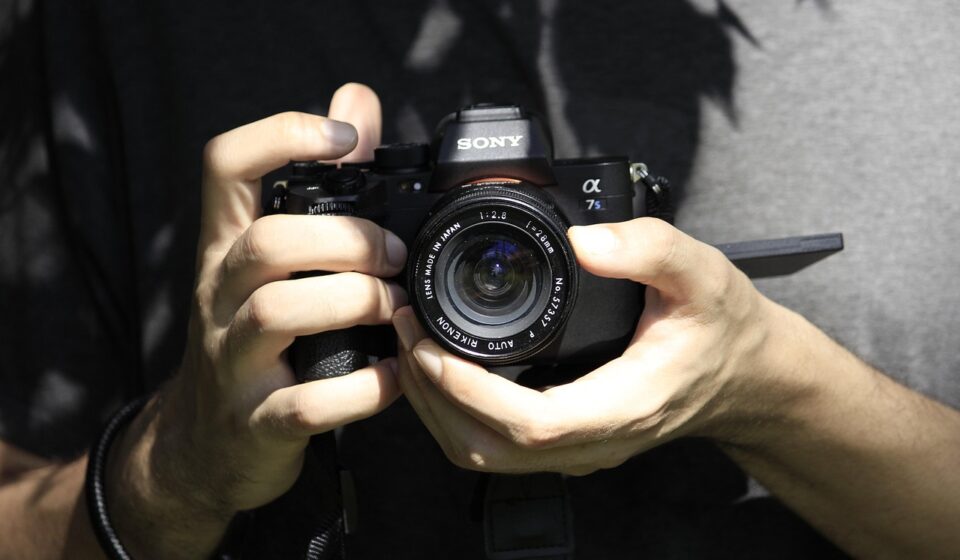
If you are wondering what to look for when buying a camera, start with fit rather than hype. The right camera is the one that suits your subjects, carrying habits, editing workflow and future lens needs. Sensor size, megapixels and video resolution all matter, but not equally for every buyer. A travel camera needs to be light enough to carry all day. A family camera should focus quickly on moving people. A content creation camera should record reliably, support useful audio options and work with your tripod, gimbal or other support gear. Before comparing models, decide whether you mainly need better image quality, faster action capture, stronger video, a more stylish everyday camera or a system you can grow into.
That first decision helps avoid a common buying mistake: paying for specifications you rarely use while missing the features that affect daily results. A camera with excellent image quality but awkward controls may stay at home. A high-resolution body can exceed the real budget once suitable lenses and storage are included. A compact camera with a fixed lens may be ideal for street and travel photography, but limiting if you later want wildlife or sports reach.
For more practical product research, visit the buying guides archive.
Choose the right camera type before comparing specs
Camera categories are not simply price tiers. They determine lens flexibility, portability, maintenance needs, accessory choices and how long the camera can serve you.
Compact cameras
Compact cameras, sometimes called fixed-lens cameras, make sense when you want a dedicated camera without building a lens kit. They can be stylish, pocketable and easy to carry, which matters if your current camera rarely leaves the house. Some models use small sensors with long zoom ranges, while premium compacts may use larger sensors and brighter lenses. The trade-off is fixed optics. If the focal length range does not suit your work, there is no simple upgrade path.
Mirrorless cameras
Mirrorless cameras are the main choice for buyers who want interchangeable lenses, modern autofocus and a broad upgrade path. They use electronic viewfinders or rear screens to preview exposure, color and depth of field before you press the shutter. The system can be compact or professional-grade, depending on sensor size and lens choice. According to CIPA’s latest complete annual shipment data for January to December 2025, mirrorless cameras made up the largest share of interchangeable-lens camera shipments, while DSLR shipments continued to decline. For a new buyer, that matters because lens development, firmware attention and accessory ecosystems are now heavily centered on mirrorless systems.
DSLR cameras
DSLRs can still be good values on the used market, especially if you already own compatible lenses. They offer optical viewfinders, strong battery life and many mature lens options. The limitation is future support. Fewer new DSLR bodies are being introduced, and many brands now prioritize mirrorless mounts. A DSLR can still produce excellent images, but it is usually less suitable if you want the newest autofocus tracking, compact video rigs or long-term system growth.
Know which specs matter and which ones can mislead
Specification sheets are useful only when you connect them to real use. A camera is a combination of sensor, processor, lens mount, autofocus, handling and software behavior. Judging one number in isolation can create a distorted picture.
Sensor size
Sensor size affects low-light performance, depth of field, lens size and overall system cost. Full-frame sensors are valued for image quality, dynamic range and shallow background blur, but full-frame lenses are often larger and more expensive. APS-C and Micro Four Thirds cameras can be lighter and more affordable, especially for travel and everyday photography. One-inch and smaller sensors can also work well in compact cameras where convenience and zoom range matter more than maximum background blur.
Megapixels
Megapixels matter if you crop heavily, print large or shoot commercial work that requires detailed files. For most online sharing, travel, family photography and moderate prints, extremely high resolution is not necessary. More megapixels also create larger files, which means more storage, faster memory cards and a stronger computer for editing. Instead of buying the highest number available, ask whether the resolution supports your actual output. A balanced sensor with reliable autofocus and good lenses usually delivers better results than a high-megapixel body paired with weak glass.
Autofocus and burst speed
Autofocus quality is critical for children, pets, street photography, events, wildlife and sports. Look for subject detection that matches your needs, such as people, animals, birds, vehicles or general subject tracking. Burst speed is useful only when the autofocus system can keep up and the buffer can store enough images. A camera that shoots a short burst and then stalls while clearing files can be frustrating for action. Check the buffer depth, the file type used for the published speed and whether performance drops with slower memory cards.
Stabilization
In-body image stabilization and lens stabilization help reduce blur from hand movement at slower shutter speeds. This is valuable for travel, indoor scenes, handheld video and low-light photography. Stabilization does not freeze a moving subject, so it will not replace a fast shutter speed for sports or dancing. It does, however, make the camera more forgiving when you want to travel light without a tripod.
Check the lens system, storage and true cost
The camera body is only the first purchase. Lenses, batteries, memory cards, straps, filters, bags, microphones and editing storage all affect the real cost of ownership. A lower-priced body in an expensive lens system may cost more over time than a slightly higher-priced body with affordable lens options.
Lens availability
If you buy an interchangeable-lens camera, study the lens lineup before choosing the body. A beginner kit zoom is convenient, but your second lens often determines whether the system fits your photography. Portrait shooters may want an affordable bright prime. Travelers may want a compact wide-to-telephoto zoom. Wildlife photographers need long lenses, and those can be costly. Also check third-party lens support. A system with strong third-party options may give you more price flexibility.
Memory cards and write speed
Storage is more technical than it first appears. For casual stills, almost any reputable card that meets the camera manual’s requirement may work. For 4K, high-bitrate video, RAW bursts or slow-motion recording, write speed becomes important. The SD Association defines Speed Class, UHS Speed Class and Video Speed Class markings to indicate minimum writing performance under defined conditions. In practical terms, a V30, V60 or V90 label is more relevant for demanding video than a large marketing read-speed number printed on the package. Always match the card to the camera manual’s requirement.
Battery rating and charging
Battery life also needs context. CIPA battery testing gives a standardized way to compare cameras, but real results vary with temperature, viewfinder use, video recording, image review, wireless transfer and stabilization. If you shoot full travel days, events or long video clips, budget for extra batteries. USB-C charging can be convenient, but the connector alone does not guarantee fast charging, in-camera charging during use or compatibility with every power bank. Check the camera manual before relying on one cable for everything. See also: care tips.
Evaluate video features realistically
Many buyers now want one camera for stills and video, but video specifications need careful reading. A headline such as 4K or 6K does not tell the whole story. Look at frame rates, crop factor, recording time limits, overheating behavior, autofocus during video, stabilization, audio input, headphone monitoring and file formats.
If you create short social clips, strong face tracking, a flip screen and reliable built-in stabilization may matter more than advanced codecs. If you shoot interviews, product videos or longer events, audio ports, clean HDMI output, dependable heat management and dual card slots may matter more than a high maximum resolution. If you edit on a lightweight laptop, demanding formats can slow down your workflow even when the camera records them well.
Also consider vertical shooting, livestreaming and direct phone transfer if you publish quickly. Some cameras are built around traditional photography controls, while others are designed for creators who need quick video access, front-facing screens and simplified menus. Neither approach is universally better. The right choice depends on how the camera will be used most often.
Test handling, viewfinder quality and everyday usability
Two cameras with similar specifications can feel completely different in use. Handling is not a minor detail. It affects whether you can react quickly, hold the camera steadily and enjoy using it for long periods.
- Grip and balance: Try the camera with the lens you expect to use, not only the smallest kit lens.
- Viewfinder and screen: Check whether the electronic viewfinder is comfortable and whether the screen tilts, flips or articulates in the way you need.
- Menu design: A powerful camera can feel slow if common settings are buried.
- Controls: Look for enough dials and customizable buttons if you plan to learn manual exposure.
- Weather sealing: Useful for travel, outdoor work and unpredictable conditions, but it usually depends on both body and lens sealing.
- Connectivity: Wi-Fi and Bluetooth can simplify transfers, but app reliability and file-size handling vary by brand and model.
If possible, test the shutter sound, autofocus behavior, startup time and grip comfort in person. If buying online, read the return policy carefully. When the camera arrives, inspect the box, shutter count when available, included accessories and regional warranty terms.
Camera buying checklist by use case
The easiest way to narrow the search is to match the camera to a primary use case. Most buyers have more than one need, but one priority should lead the decision.
| Primary use | Prioritize | Be careful with |
|---|---|---|
| Travel and everyday carry | Low weight, compact lens, USB charging, good stabilization, weather resistance | Large full-frame zoom kits that become too heavy to bring |
| Family and pets | Fast autofocus, eye detection, good indoor performance, simple sharing | Slow lenses and cameras with weak subject tracking |
| Portraits and fashion | Lens selection, skin-tone rendering, eye autofocus, flash compatibility | Buying a body before checking affordable portrait lenses |
| Sports and wildlife | Autofocus tracking, burst depth, long lens options, durable build | High burst numbers with small buffers or expensive telephoto requirements |
| Video and content creation | Reliable 4K, microphone input, stabilization, articulating screen, heat management | Resolution claims that ignore crop, recording limits and editing workflow |
| Learning photography | Comfortable controls, viewfinder, manual modes, affordable prime lens | Overbuying a complex camera that discourages practice |
A sensible buying process is to set a total kit budget first, then divide it among the body, lens, memory cards, spare battery and protection. If the budget is tight, a modest body with a better lens is often a stronger long-term choice than a premium body with only a basic lens. Used or previous-generation cameras can also be good values when purchased from a seller with inspection standards and a clear return window.
Frequently asked questions
How many megapixels do I need?
Most beginners and enthusiasts do not need the highest megapixel count available. A moderate-resolution camera is enough for social media, albums, family use, travel and many prints. Higher resolution is useful for cropping, large prints and commercial detail work, but it also increases file size and storage demands.
Is full frame always better than APS-C or Micro Four Thirds?
No. Full frame can offer excellent low-light performance and background blur, but it often comes with larger, more expensive lenses. APS-C and Micro Four Thirds systems can be easier to carry and may offer better value for travel, learning and everyday shooting. The better choice depends on the whole system, not only sensor size.
Should I buy a camera body or lens first?
Choose the system first, then the body and lens together. If the lens lineup does not include the focal lengths and prices you need, the body is not a good fit. For interchangeable-lens cameras, the lens often has a larger effect on the look and flexibility of your images than small differences between bodies.
Is a compact camera still worth buying when phones are so good?
Yes, for the right person. A compact camera can offer optical zoom, a different shooting experience, better ergonomics and a dedicated device that keeps you focused on photography. A phone is still more convenient for instant sharing. The question is whether you want a separate creative tool enough to carry it.
What should I check before buying a used camera?
Inspect the sensor, lens mount, screen, viewfinder, ports, battery door, card slot and autofocus behavior. Ask about shutter count when relevant, included accessories and return terms. For used lenses, check for scratches, fungus, haze, stiff zoom rings and noisy autofocus. A small saving is not worth hidden repair risk.